
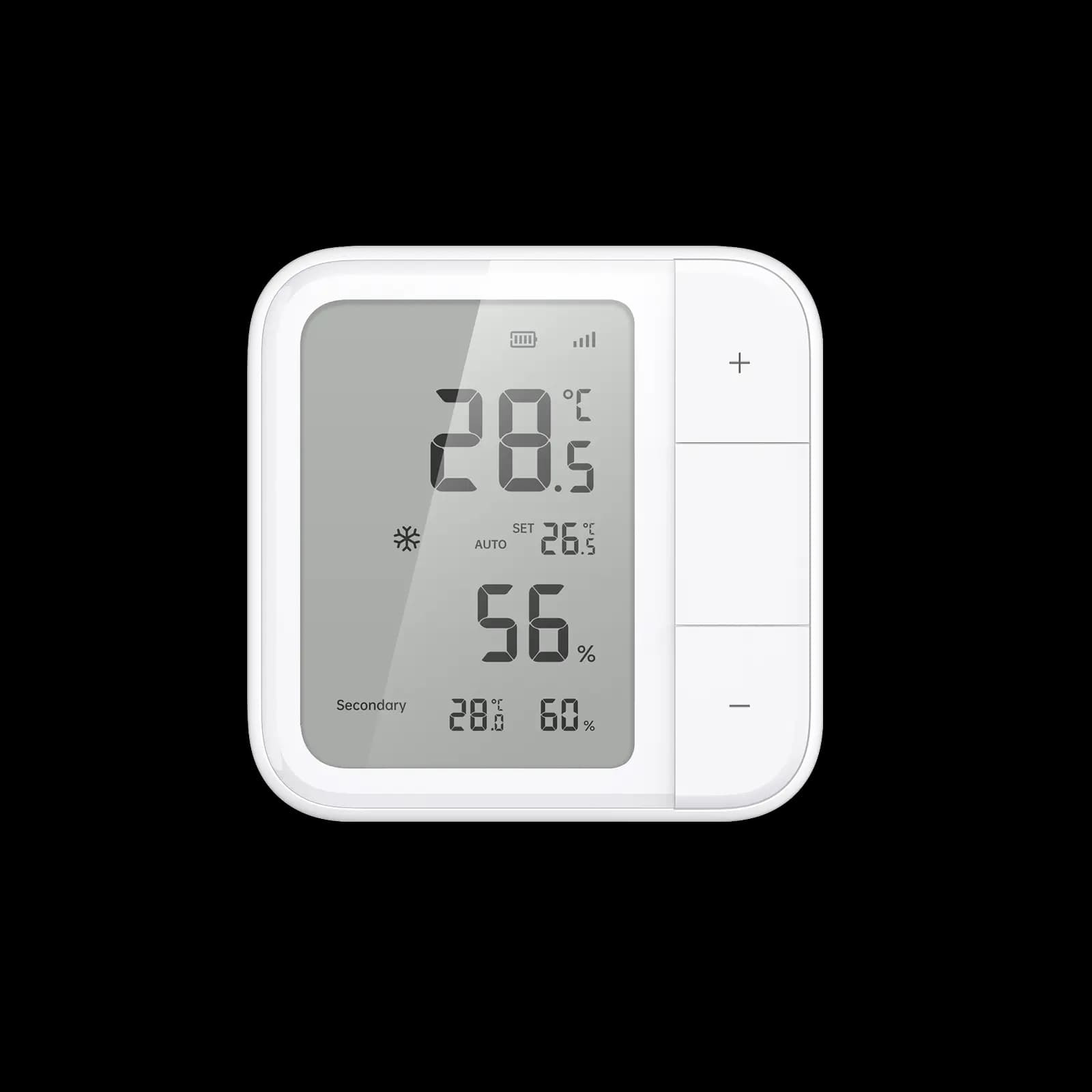
1 / 3 — Product view
Aqara Climate Sensor W100
A battery-powered climate sensor with a 3.4-inch LCD display and three buttons. Aqara lists temperature accuracy of ±0.2 °C and humidity accuracy of ±2% RH. It is a sensor and wireless controller, not a thermostat: controlling an air conditioner or heating needs a compatible Aqara hub or Aqara thermostat, and setup.
Ask about this product
Opens your own WhatsApp or email app with this product and the options you chose filled in. Nothing is sent until you send it yourself. The price shown is a reference price, not a quotation.
- Check temperature and humidity on its own display, and use the readings to trigger automations through a compatible hub or controller.
- Use the three buttons for up to 9 actions (single, double or long press), for example to start a scene or switch on a compatible fan.
- With a compatible Aqara hub, adjust a compatible infrared air conditioner (Hub M3 required) or an Aqara thermostat from the W100.
- Connectivity
- Thread (Matter) or Zigbee, plus Bluetooth; one mode is chosen during setup
- Compatibility
- Thread mode: a Matter controller and Thread border router for your platform (Apple Home, Google Home or Amazon Alexa). Zigbee mode: a compatible Aqara hub, needed for Aqara-only features such as showing a second, separately sold sensor's readings. Infrared air-conditioner control needs Hub M3
- Sensor
- Temperature ±0.2 °C, humidity ±2% RH (Aqara figures); 3.4-inch LCD display; 3 buttons
- Battery
- 2 × CR2450; up to about 2.4 years (Zigbee) or 2.3 years (Thread) in typical use (Aqara figures)
- Dimensions
- 86 × 86 × 13.65 mm
- Operating Temperature
- -20 °C to 60 °C; 0–98% RH, non-condensing
- What's in the Box
- Climate Sensor W100, user manual, compliance statement, screw kit, wall bracket, desktop stand (AA+ catalogue list; matches Aqara's TH-S04D version)
Planning an Installation?
The price on this page is a reference price for the device. If you would like it planned, installed and set up as part of a system, see how a project runs.
Curious What This Looks Like in Your Space?
Reach out however's easiest — WhatsApp, ask about an assessment, or browse the platform first.